
Smart Upgrades for a Practical and Sustainable Home Office
Working from home has shifted from a temporary convenience into a permanent lifestyle for many professionals and business owners. While setting up a laptop on a dining table or in a spare corner might work initially, long hours in an ad hoc environment often lead to physical fatigue, clutter, and higher domestic utility demands. Creating a dedicated workspace requires thoughtful planning that balances comfort, daily productivity, and responsible resource use.
A well-planned home workspace should support your physical posture, provide dependable lighting, and maintain an even indoor climate throughout the workday. By taking a deliberate approach to room layout and energy efficiency, you can establish an environment that enhances your professional focus while preserving the calm atmosphere of your household.
Assessing Your Space for Daily Productivity
Before purchasing new furniture or rearranging rooms, examine how you spend your typical working day. The physical demands of administrative work, client calls, creative production, and bookkeeping all differ significantly. Understanding your primary tasks helps identify the specific equipment, surface area, and privacy levels your space requires. Consider both immediate hardware needs and future storage requirements so your setup accommodates your ongoing workflow comfortably.
Noise management is often the most pressing challenge in shared living spaces. Look for an area located away from high-traffic domestic zones such as kitchens, entryways, or family entertainment areas. If an isolated room is unavailable, consider using architectural elements like folding screens, heavy fabric drapes, or solid bookcases to establish a visual and acoustic barrier. These simple physical partitions absorb ambient sound and signal to others that you are engaged in focused tasks.
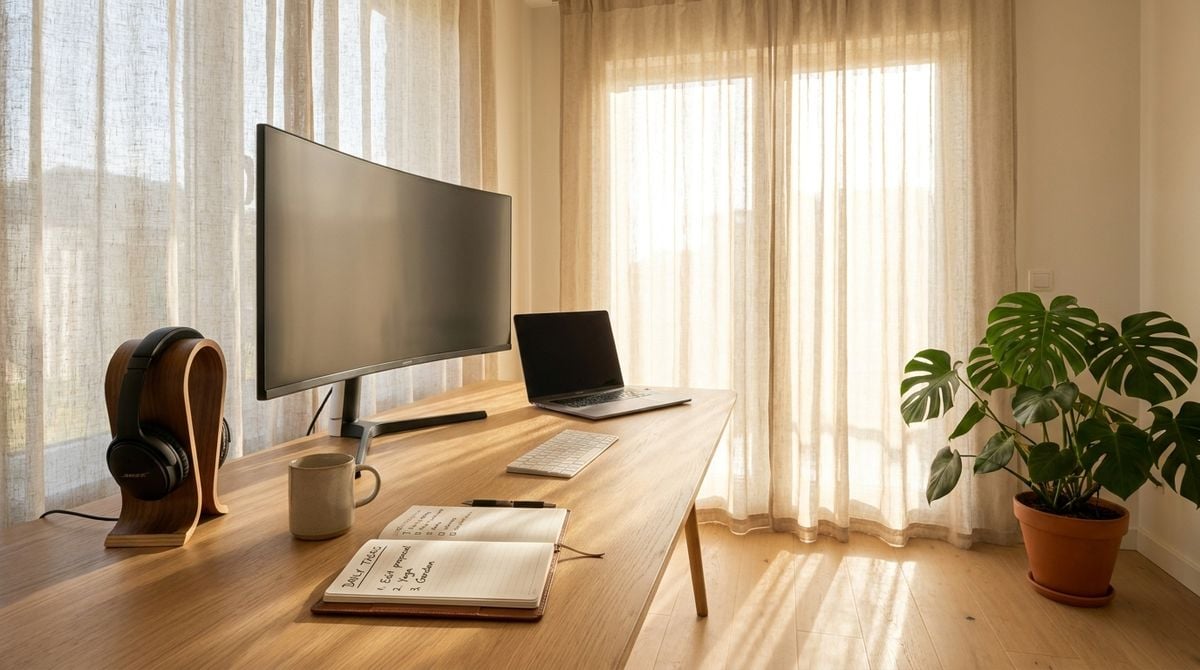
Evaluate the available natural light during standard daylight hours. Natural illumination supports focus and visual comfort, but excessive glare on digital monitors can cause eye strain and headaches. Positioning your primary desk perpendicular to windows allows daylight to enter the room without reflecting directly onto your display screens.
Designing a Functional and Inspiring Layout
An effective office layout separates active working zones from storage and leisure areas. Keep your immediate desk area dedicated strictly to active tasks, keeping pens, documents, and reference materials within arm reach while storing archived records in nearby cabinets. Clear surfaces minimize visual distractions, allowing you to transition between projects smoothly. When each tool possesses a dedicated storage spot, cleaning up at the end of the day becomes effortless.
Integrating indoor greenery, balanced proportions, and calming color palettes can dramatically improve the mood of a working environment. Thoughtful design choices help prevent a home workspace from feeling cold or utilitarian. When planning your workspace arrangement, consulting interior layout resources such as huizhiseed.com can provide valuable ideas for balancing functional work zones with welcoming residential aesthetics.
Select ergonomic furnishings that accommodate your natural posture throughout the day. An adjustable chair that supports the lower spine, paired with a desk at the correct elbow height, helps reduce musculoskeletal strain. Complement your primary desk with simple organizational tools, such as cable management trays and vertical file organizers, to maintain orderly surfaces without sacrificing accessibility.
Managing Energy Efficiency and Climate Control
Operating computers, auxiliary monitors, lighting, and climate control for hours each day can place a steady demand on domestic electrical systems. Managing power consumption thoughtfully not only limits unnecessary utility expenses but also creates a more comfortable, thermally balanced room for long-term concentration. Overlooking these ongoing energy demands can lead to overheated electronics, stuffy air, and inconsistent room comfort.
To discover practical techniques for reducing utility waste and enhancing climate stability throughout your rooms, exploring dedicated guides on garrettiron.com helps homeowners make informed improvements that keep their work environments pleasant and cost-effective.
Addressing thermal comfort begins with basic draft prevention and airflow management. Sealing small gaps around window frames, installing insulated window coverings, and using ceiling fans to circulate air can keep room temperatures stable without constantly running heating or cooling equipment. Additionally, replacing older light fixtures with quality light-emitting diodes reduces both heat output and power usage.
Simple routine adjustments can further lower your daily environmental impact:
- Connect computer accessories and peripherals to smart power strips that eliminate standby power draw.
- Adjust monitor brightness settings to match ambient room light rather than keeping displays on maximum output.
- Use thermal curtains to block midday heat gain during warmer seasons and retain heat during cooler periods.
- Position desks to maximize daylight exposure, reducing the need for artificial overhead illumination during midday hours.
Balancing Professional Routines and Household Living
When professional duties and personal life unfold under the same roof, maintaining firm boundaries becomes essential. Without clear separations, working hours can gradually expand into evening rest periods, creating persistent stress and diminishing personal time with family. Setting firm boundaries protects both your mental stamina during the day and your ability to rest fully when evening arrives.
For individuals who operate on project-based agreements or manage clients from a private studio, professional boundaries are just as critical as physical ones. Reviewing our guide to independent contractor rights can assist self-employed professionals in maintaining clear contractual terms while managing their daily responsibilities.
Establish consistent opening and closing routines for your workday. At the conclusion of your scheduled hours, shut down your computer equipment, organize paperwork, and physically step away from the work zone. Closing the door or drawing a partition screen signals a clear psychological transition from active labor to domestic relaxation.
Communicate your working schedule clearly to other household members. Agreeing on designated periods of uninterrupted concentration minimizes unexpected disruptions, allowing you to complete high-focus assignments during daytime hours and fully disconnect when your workday ends.
Maintaining Your Setup for Long-Term Value
A successful workspace is never entirely static; it evolves as your workflow, personal habits, and business demands change over time. Regularly reviewing your setup ensures that equipment remains orderly and that your room continues to meet your daily needs. Even modest periodic adjustments prevent physical clutter from accumulating and keep your daily routine feeling fresh.
Schedule periodic reviews of your physical storage and digital hardware. Safely clean monitor screens, dust computer ventilation vents to prevent overheating, and clear away accumulated papers that are no longer relevant to ongoing projects. Taking proactive care of your physical equipment prolongs its functional life and keeps your work environment clean.
Investing time and attention into your home workspace provides ongoing rewards in comfort, organization, and peace of mind. By blending functional design principles with smart energy choices, you create a private working sanctuary that supports your professional goals while enhancing the overall comfort of your home.